Drink Factory Simulator Troubleshooting the Factory
A practical checklist when Analysis Mode, fillers, gates, or co-op lobbies stop behaving.
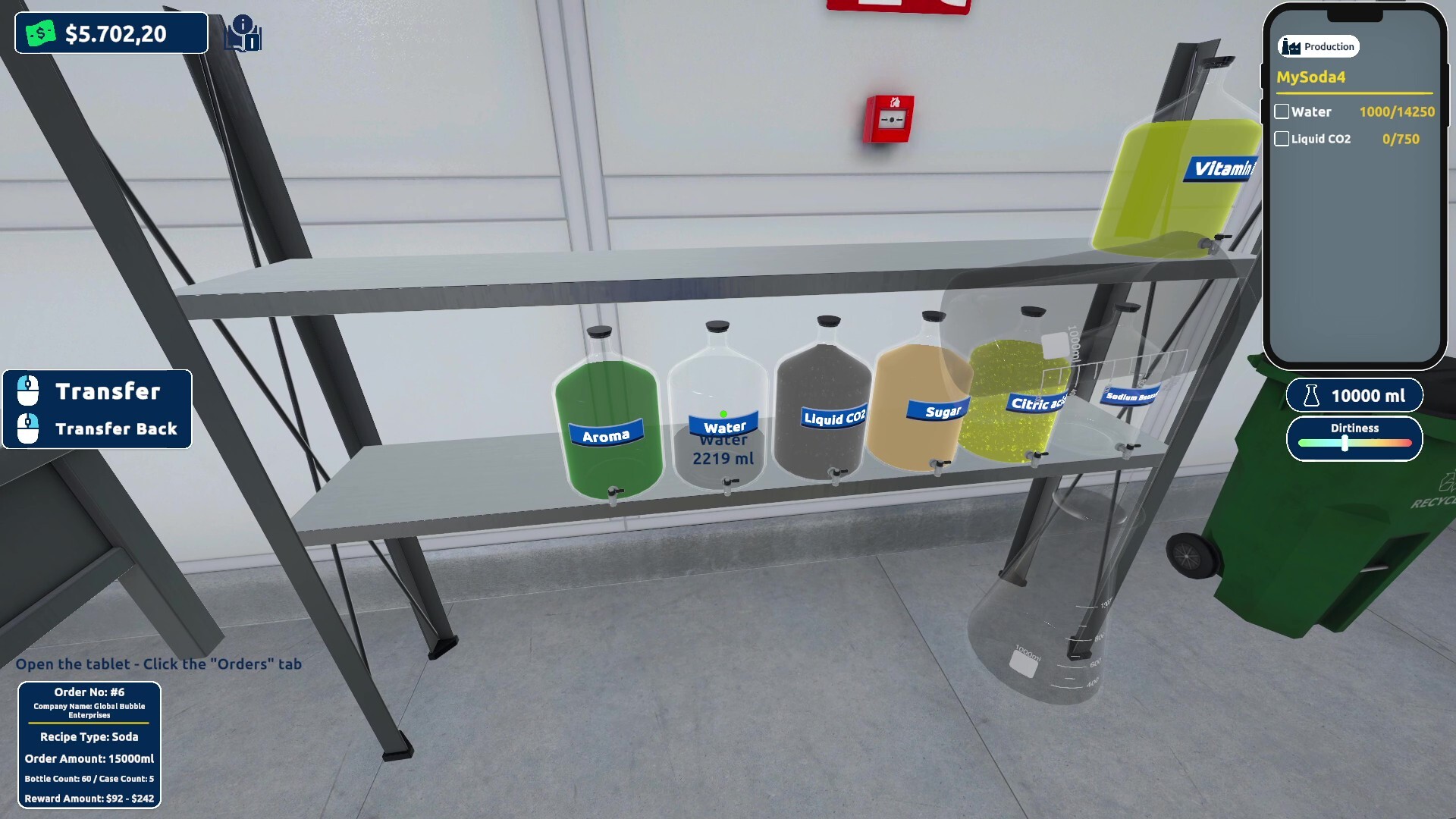
Start here when the plant freezes up
Drink Factory Simulator’s Early Access build (Steam app 3913840, live since August 13, 2026) is fully playable, but living sims still throw friction: fillers that stop, ratios that “feel right” but fail scoring, order timers that expire at the gate, and lobbies that desync after a patch. This page is a recovery checklist — not a spoiler sheet of finished recipes, and not a promise that every bug is gone. For official changes, keep Patch Notes and Steam news next to this guide.
Work top-to-bottom. Most “broken game” nights are actually formula, layout, or timing problems that look like bugs until you isolate them.
1. Recipe and Analysis Mode failures
Symptoms: Low scores, confusing feedback, wasted ingredients, orders rejecting quality.
Checks:
- Confirm ingredient ratios total 100%. Partial totals poison feedback.
- Change one variable at a time. If you nudge three sliders, you cannot learn which move mattered.
- Stop volume production on a failing formula. Filling bad product multiplies losses.
- Re-read Recipe Discovery and log attempts on the Recipe Checklist.
There are no official cheat codes that unlock finished cola or soda formulas. Third-party “trainers” can corrupt saves — avoid them.
2. Production line stalls (mix → sterilize → fill → pallet)
Symptoms: Idle machines, backed-up bottles, frantic sprinting between stations.
Checks:
- Identify the slowest step visually. Upgrade that step first (Machine Upgrades, Early Game Priority).
- Repair before rearranging the whole floor — see Workers and Day Cycle.
- After Early Access launch, watch patch notes for filling-machine fixes; restart the machine or reload the session if a known edge case matches what you see.
- Verify sterilize is actually fed. A starved sterilizer looks like a broken filler downstream.
- Revisit layout guidance in Production Line.
3. Orders expire or satisfaction tanks
Symptoms: Gate timers fail, cash crashes, customers unhappy despite “some” output.
Checks:
- Match drink type and quality bar — shipping the wrong family does not count as almost-right.
- Escort pallets through delivery gates; unfinished travel is a common last-meter failure.
- Cut experimental batches when the board is full of timers. Stabilize one SKU, then expand.
- Use Orders and Deliveries for pacing and the Economy Planner before panic-buying machines.
Remember: retail storefronts and open-world port/airport trucking are roadmap goals, not guaranteed replacements for today’s gate loop (Roadmap).
4. Workers, dirt, and repair loops
Symptoms: Constant manual firefighting, machines stopping after short runs, night shifts collapsing.
Checks:
- Schedule a night repair block instead of inventing new recipes at midnight.
- Assign a co-op repair lead so duties are explicit (Co-op Setup).
- Keep repair tools on the mix→fill path.
- Read Workers and Day Cycle for shift templates.
5. Co-op and networking friction
Symptoms: Friends cannot join, progress desyncs, one player’s notebook knowledge becomes a bottleneck.
Checks:
- Confirm everyone owns/updates the same Early Access build on Steam.
- Host-swap after a major patch if lobbies misbehave.
- Split roles: analyst / line / logistics rather than four people fighting over one mixer.
- Re-check Multiplayer Hub and Co-op Setup.
Online co-op supports up to three friends. Local-only assumptions are wrong for this title’s stated design.
6. Performance and system issues
Symptoms: Stutter during busy lines, long loads, unstable sessions.
Checks:
- Compare your rig to System Requirements: Windows 10, i7-6700K or Ryzen 3 1200X class, 4 GB RAM, GTX 960 4 GB+, 8 GB storage.
- Close overlays and heavy browsers during four-player nights.
- Verify game files on Steam after a hard crash.
- Lower nonessential effects before blaming the production script.
7. Prologue vs main EA confusion
Players sometimes hop between Prologue (4738020), Demo (4341340), and main EA (3913840) and assume identical balance. Use the Prologue Walkthrough for the free four-level slice, but re-validate habits in the build you paid for. UI labels and machine tiers can diverge as Agosto iterates during the 6–12 month EA window (Early Access).
8. When to escalate to official channels
Escalate when you can reproduce a hard stop after verifying formula totals, repairs, and gates:
- Steam discussion hub for app 3913840
- Links collected on Official Links and the Links Hub
Include: build version, solo vs co-op, machine tier, and whether ratios totaled 100%. That report helps more than “game broken.”
Recovery session template
- Pause new drink experiments.
- Fix the active formula or shelve it.
- Repair the slowest broken station.
- Clear one order type end-to-end through the gate.
- Only then resume Analysis Mode or upgrades.
- Note the failure on your checklist and skim Patch Notes.
Return to Getting Started if you need the whole loop restated, or the Guides Hub for the index. Most Early Access chaos shrinks when you stop changing three systems at once.
Frequently Asked Questions
Quick answers about recipes, factory lines, and Early Access.
Why is Analysis Mode giving bad scores?
Confirm ratios total 100%, change one slider at a time, and stop shipping volume on a weak formula. See Recipe Discovery for the full method.
My filler keeps stopping — is it always a bug?
Not always. Check upstream feed, repairs, and patch notes for known filling-machine fixes. Repair and restart before rebuilding the whole line.
Are there cheat codes to skip bugs?
No official codes or cheats. Fix process issues first, then report reproducible bugs through official Steam channels.
Where do I check what a patch changed?
Start with Patch Notes on this wiki, then confirm details in Steam news for app 3913840.